Every HCL Domino Release Through v11 Is Now End of Life — Time to Upgrade
If your organization still runs HCL Domino version 11 or earlier, you are past a hard line: every Domino and Notes release up to and including v11.0.x is now out of standard support. That means no security patches, no defect fixes, and — in many cases — no supported way to run on a modern Windows operating system. Here is exactly where things stand and how Prominic.NET can help you move to a current, secure release.
Three terms worth getting straight
End of Marketing (EOM) — HCL stops selling the version and pulls the downloads. You can still run it; you just can't buy it.
End of Support (EOS) — HCL stops standard support entirely: no new fixes, no security patches. This is the date that matters for risk.
Extended Support — a paid, time-limited Statement of Work covering usage and known-defect support only. It buys time to migrate; no new fixes are produced, and it is not a substitute for being current.
Which releases are already end of life
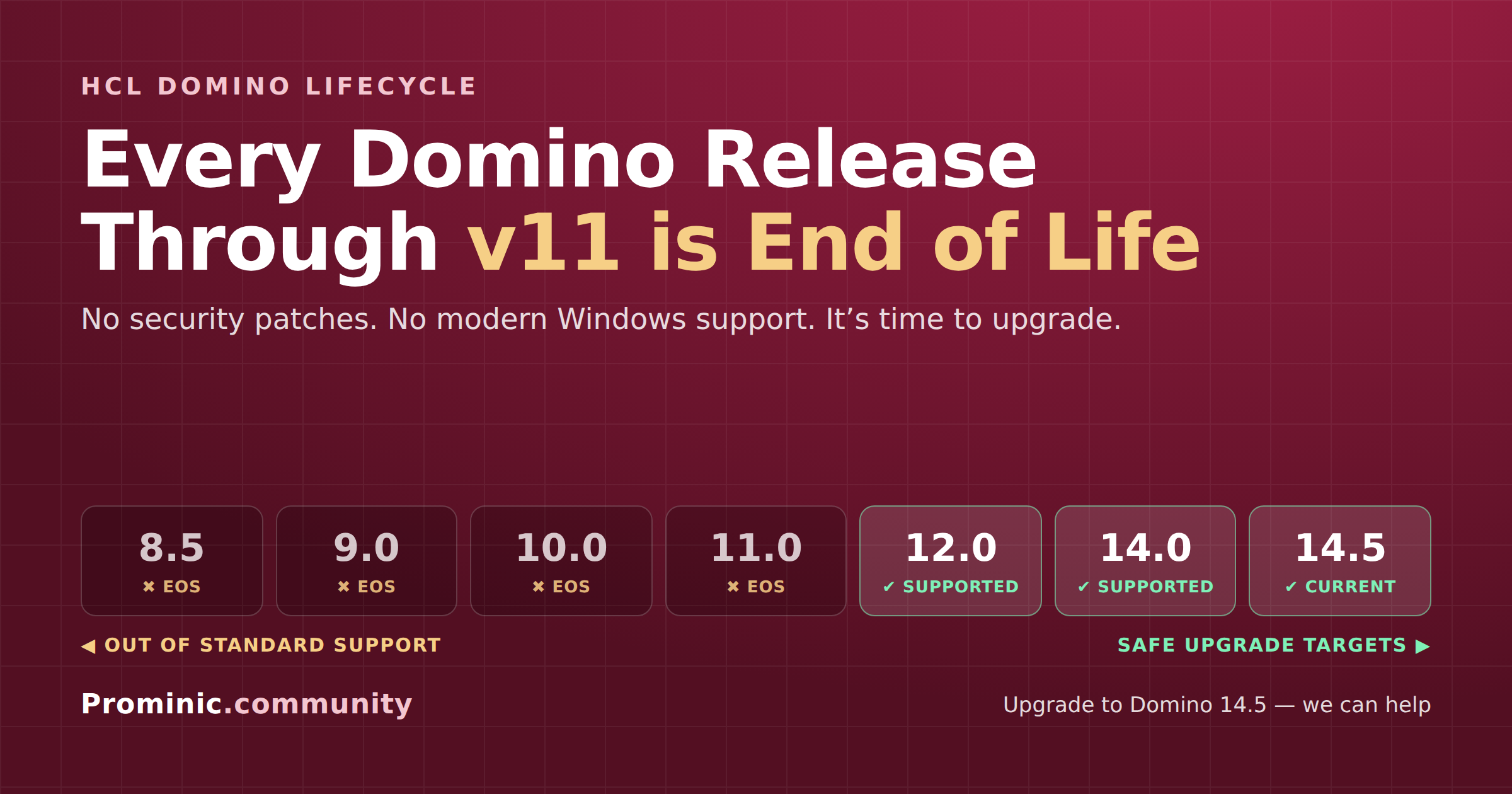
Out of standard support — upgrade needed (v11 and earlier):
Domino 8.5.x and older ✖ — End of Support since 30 September 2018. No Extended Support was ever offered. Unsupported for over six years.
Domino 9.0.x and 10.0.x ✖ — End of Support since 1 June 2024. Paid Extended Support is available through 30 June 2030.
Domino 11.0.x ✖ — End of Support since 26 June 2025. Paid Extended Support is available through 30 June 2030.
Still supported — safe upgrade targets:
Domino 12.0.x ✔ — supported (12.0.2 is the recommended fix level).
Domino 14.0 ✔ — supported.
Domino 14.5 ✔ — current release and the recommended upgrade target.
Extended Support is a paid Statement of Work at additional cost and must be co-termed with active Subscription & Support or an active term license. It covers usage and existing fixes to known problems only. Domino 12.0.x, 14.0 and 14.5 have no announced End of Support date as of this writing.
The trap most people miss: your Windows version
Being out of support is only half the problem. These older Domino and Notes releases were never certified for modern Windows, and HCL will not fix issues on an unsupported OS pairing — so you often can't simply move an old Domino install onto a fresh, patched Windows Server. The software itself is the blocker.
HCL Domino server — support on Windows Server:
Domino 10.0.1 — ✔ supported on Windows Server 2019 and 2016; ✖ not on Server 2022.
Domino 9.0.1 FP10 — ✔ supported on Windows Server 2016 only; ✖ not on 2019 or 2022.
Domino 8.5.3 — ✖ not supported on Server 2016, 2019 or 2022 (no modern Windows Server option at all).
HCL Notes client — support on Windows:
Notes 10.0.1 — ✔ supported on Windows 10 and 8; ✖ not on Windows 11.
Notes 9.0.1 FP10 — ✔ supported on Windows 10 and 8; ✖ not on Windows 11.
Notes 8.5.3 — ✖ not supported on Windows 8, 10 or 11 (no modern Windows client option at all).
The squeeze is real: Domino/Notes 8.5.3 has no supported modern Windows at all, and even 9.0.1 and 10.0.1 are locked out of Windows Server 2022 and Windows 11. With Windows 10 itself reaching end of life on 14 October 2025, staying on old Domino means the application is unsupported and the only OS it runs on is expiring. Modern Domino 14.x, by contrast, is certified for current Windows Server, Linux, and container/cloud deployments.
Why this is a real business risk
An unsupported Domino version gets no patches for newly discovered vulnerabilities — and HCL has shipped well over a hundred security fixes across recent releases, none of which reach a v11-or-earlier server on standard support. For anyone subject to HIPAA, PCI-DSS, GDPR, SOC 2, or cyber-insurance requirements, running end-of-support software is frequently an audit finding or a coverage exclusion on its own.
Beyond security, staying put means missing years of platform progress: REST APIs, the Nomad web and mobile clients, Domino Leap and Volt MX Go low-code development, DAOS and modern storage, and far stronger TLS/encryption. The longer the gap, the larger — and more expensive — the eventual jump.
The good news: the upgrade path is well-trodden
HCL's recommended target for every EOL version above is Domino 12.0.2, 14.0, or 14.5, and upgrades from 9.x/10.x/11.x are generally direct. The real work is planning the OS move, validating older applications and third-party add-ons, and sequencing the rollout with minimal downtime — exactly where an experienced partner earns its keep.
How Prominic can help
Prominic has hosted and managed HCL Domino environments for organizations of every size for over two decades. We can:
Assess your current Domino and Windows versions and map a safe, staged upgrade path to Domino 14.5.
Handle the full migration — server, OS, and applications — including hybrid or fully managed hosting if you'd rather not run the infrastructure yourself.
Modernize alongside the upgrade: Nomad, REST APIs, Leap/Volt MX Go, and TLS/security hardening.
Bridge the gap with a supported Extended Support arrangement while migration is planned, so you're never running blind.
🚀 Talk to Prominic before your next audit — not after. Reach out and we'll review your environment and give you a concrete, no-pressure upgrade plan.
📧 Sales@Prominic.NET | ☎️ +1-217-356-2888 | 🛒 prominic.shop
Which HCL Domino version are you running today?
8.5.x or older
9.0.x
10.0.x
11.0.x
12.0.x, 14.0 or 14.5 (currently supported)
Sources: HCL Software product lifecycle announcements KB0099055 (Domino/Notes 9.0.x & 10.0.x, EOS 1 June 2024, Extended Support to 30 June 2030), KB0114064 (Domino/Notes 11.0.x, EOS 26 June 2025, Extended Support to 30 June 2030), and the HCL "Unsupported Windows OS releases for Domino and Notes 8.5.x, 9.0.x & 10.0.x" article; IBM Lotus Notes/Domino 8.5.x withdrawal notification (EOS 30 September 2018); and the HCL Software Product Lifecycle page. Dates are subject to change by HCL — confirm against the current HCL Software lifecycle listing before making decisions.